Watch Out for This Fake Instagram Alert Scam – Act Now!
Scammers are using new email tricks to target Instagram accounts. These emails look official and warn you about a suspicious login attempt, urging you to click a link to “report” the activity. The link doesn’t protect your account—it sends your details straight to a scammer. It is a fake Instagram alert.
Instead of taking you to Instagram, the link opens a pre-written email that sends your information to a fraudster pretending to be support. If you reply, they often ask for passwords or personal details, claiming it’s for account recovery.
You can avoid this fake Instagram alert scam by learning how it works and recognizing the warning signs. Stay alert to protect your Instagram account and keep your information safe.
How the Latest Instagram Email Scam Works
This Instagram phishing scheme uses emails that look official, urgent language to pressure you, and unusual mailto links to bypass security tools. Once you reply, scammers continue the fraud, putting your sensitive information at risk.
Phishing Campaign Tactics
Scammers design these emails to look like real Instagram messages, using logos, branded colors, and language about account verification or suspicious logins. This makes the email seem trustworthy at first.
Unlike older scams that used fake websites, this campaign asks you to reply directly, which can slip past email filters.
The emails often have subject lines about “account security” or “login issues” to create pressure. Scammers pose as Instagram support to take advantage of your trust.
These tactics are part of a trend where attackers adapt quickly to security changes. Cybersecurity firms like Malwarebytes report that phishing campaigns keep evolving to stay effective.
The Role of Mailto Links
A key part of this fake Instagram alert scam is the use of mailto links. Instead of going to a website, the link opens your email program with a pre-written message.
This message looks like a support request but actually goes straight to the scammer. If you send it, you start direct contact, which is what the scammer wants.
This method helps scammers avoid detection because there’s no fake website for security tools to flag. Phishing filters often focus on suspicious links, so using a mailto link can bypass them.
The danger is subtle. Because everything happens in your own email client, it feels normal. That’s why this tactic works—it blends in with your usual habits.
Fake Login Alerts and Urgency
The emails warn you about a supposed login attempt from another device or location. They claim your account is at risk and urge you to “report” the activity right away.
Scammers create a sense of panic so you won’t check if the message is real. The faster you react, the less likely you are to notice anything suspicious.
Some messages copy Instagram’s official security alerts, adding fake timestamps, locations, or device types to seem more convincing.
By making it look like a security emergency, attackers hope you’ll click the link and follow their instructions without thinking.
Scammer Communication Strategies
After you send the pre-filled email, the scammer replies while pretending to be Instagram support. They may thank you and then ask for more details.
They often request your username, password, or recovery email. Sometimes, they ask you to “confirm” your identity by sending personal information.
This staged conversation feels convincing because it copies how real support teams reply. But unlike real Instagram support, these replies push you to share sensitive data.
Some scammers send follow-up threats, such as warnings that your account will be suspended if you don’t cooperate. These strategies are meant to keep you engaged until they get what they want.
Recognising the Signs of an Instagram Phishing Email
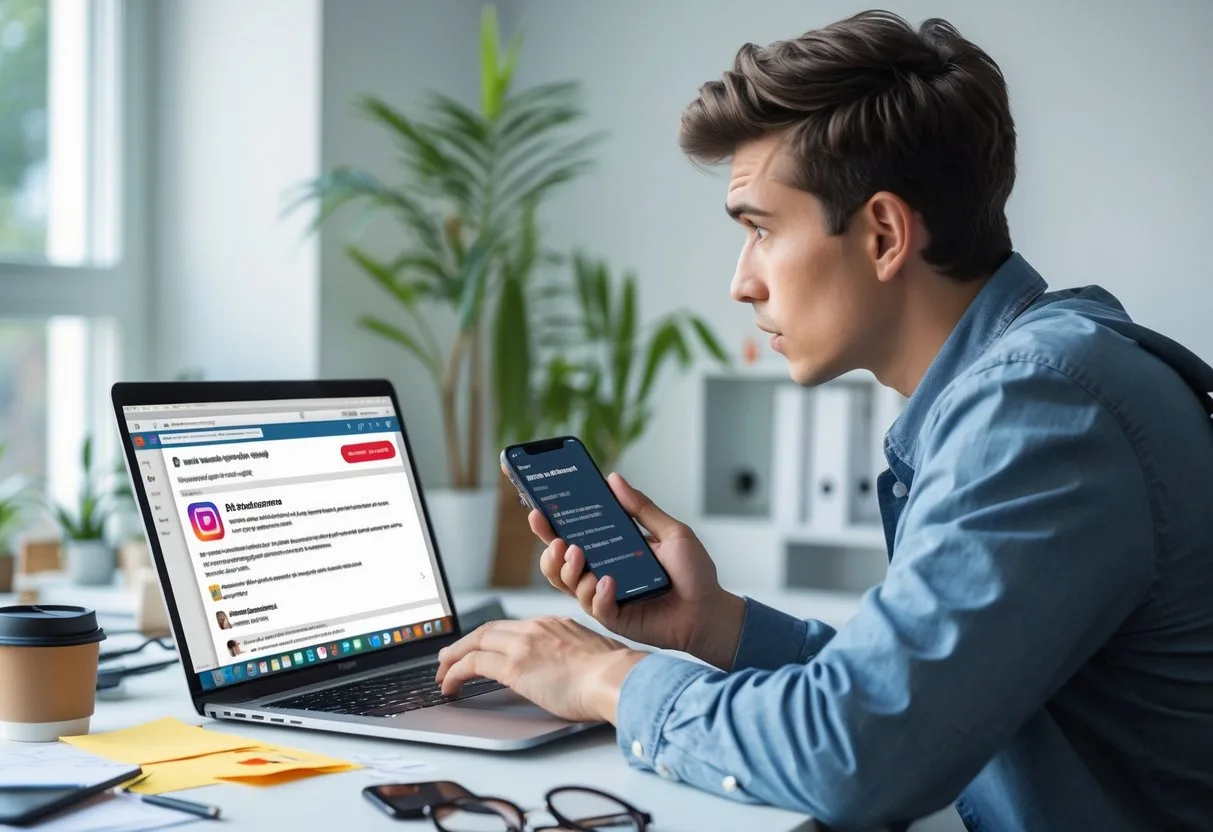
Phishing emails often use small details that are easy to miss. By checking the sender, the message style, and any pressure tactics, you can spot scams before they put your Instagram account at risk.
Suspicious Sender Addresses
Check the sender’s email address. Scammers often use addresses that look similar to official ones but have extra characters, misspellings, or odd domains like @support-instagram.com instead of @mail.instagram.com.
Real emails from Instagram always come from a verified domain. If the address doesn’t match Instagram’s format, it’s a red flag.
Some phishing campaigns use free email services like Gmail or Outlook. Instagram will not send account emails from these providers. Always compare the sender’s details with Instagram’s official practices before acting.
Generic Greetings and Language
Phishing emails often avoid your real name and use greetings like “Dear user” or “Hello account owner”. Instagram usually addresses you by your username, so a generic greeting is a warning sign.
The language in these scams is often inconsistent. You might notice poor grammar, awkward phrasing, or spelling mistakes. These errors suggest the message is a bulk scam, not an official email.
Watch for odd formatting, random capital letters, strange fonts, or too much punctuation. If the tone feels unprofessional or not like Instagram’s usual style, ignore the message.
Urgent Warnings and Deadlines
Scammers try to create panic by saying your account is at risk. They may warn of suspicious logins, policy violations, or threats of suspension unless you act fast.
These urgent warnings are meant to make you click links or reply without thinking. Instagram will not pressure you with strict deadlines or demand instant action by email.
Be careful with phrases like “respond within 24 hours” or “your account will be deleted”. This urgency is a common sign of phishing. If you feel pressured, check your account status directly through the Instagram app instead of following the email’s instructions.
Common Instagram Scams Beyond Email Phishing
Many Instagram scams use trust, urgency, and the platform’s visual style. They often involve impersonating people, playing on emotions, or offering deals that seem too good to be true.
Influencer Impersonation Schemes
Scammers create fake accounts copying popular influencers or public figures. They use the same profile picture, similar usernames, and reposted content to look real.
You may get direct messages claiming you’ve won a giveaway or been chosen for a promotion. These messages often include links or ask for personal details.
To spot these scams, check the username—impostors often add extra letters, numbers, or symbols. Look for verification badges and compare the account’s followers and engagement with the real influencer.
Key warning signs:
- Requests for payment or bank details to “claim” a prize
- Links leading outside Instagram
- Urgent language pressuring you to act immediately
Romance Scams on Instagram
Romance scams start with direct messages and long conversations. A scammer may pretend to be friendly or attractive, building trust before asking for money or personal information.
They often claim to live overseas, making it hard to meet in person. Common excuses include military service, overseas work, or sudden emergencies.
The requests may start small, like asking for travel help, but can grow over time. These scams use emotional manipulation and may last for weeks or months.
Protect yourself by:
- Being careful if someone you’ve never met says they have strong feelings quickly
- Refusing to send money or share financial details
- Checking profile photos with reverse image searches to see if they appear elsewhere online
Fake Merchandise and Investment Offers
Another scam involves fake online shops or investment schemes promoted through Instagram posts and ads. Scammers may advertise branded items or electronics at very low prices.
If you order, you might get fake goods or nothing at all. Sometimes, the scammer disappears after taking your money.
Investment scams often promote cryptocurrency or forex trading with promises of guaranteed returns. These offers usually ask you to send money to unverified accounts, with no way to get it back.
Red flags include:
- Prices far below market value
- Sellers who only accept wire transfers or gift cards
- Investment claims that guarantee profits or require quick decisions
How to Protect Your Instagram Account
Protecting your Instagram account means using strong security and being careful with your information. Good authentication, smart sharing, and checking message sources help lower your risk of scams.
Enable Two-Factor Authentication
Two-factor authentication (2FA) adds another step when you log in, making it harder for someone to access your account even if they have your password. When turned on, you’ll need to enter a code sent to your phone or from an authentication app.
You can turn on 2FA in Instagram’s Settings > Security > Two-Factor Authentication. Choose between text message codes or an app like Google Authenticator. An app is often safer, as SMS codes can be intercepted.
Keep backup codes in a safe place. These let you log in if you lose your phone. Without them, you may have trouble recovering your account.
With two-factor authentication, a stolen password alone won’t let a scammer in.
Avoid Sharing Personal Information
Scammers often try to trick you into giving away details they can use to access your account. Never share your Instagram password, login codes, or personal information like your phone number or email address through messages or email.
Be careful about what you post publicly. Sharing too much personal data, such as your birthday or location, can make it easier for someone to guess security questions or impersonate you.
If someone claiming to be Instagram support asks for sensitive information, treat it as a warning. Instagram will not ask you to confirm your password by email or direct message.
Limiting what you share lowers the risk of identity theft or account takeover.
Verify Official Communications
Fraudulent emails and messages can look convincing, but you can check if a message is legitimate. Instagram has a feature under Settings > Security > Emails from Instagram where you can see official emails sent by the company in the last 14 days.
Check the sender’s address carefully. Official Instagram emails come from @mail.instagram.com. Anything else should be treated with caution.
Avoid clicking links in suspicious emails. Instead, go directly to the Instagram app or website to verify if there’s an issue with your account.
Confirming communications through official channels helps prevent scammers from tricking you into revealing your details.
Steps to Take If You Suspect a Scam
If you receive a suspicious message, act quickly to reduce the risk of harm. Report the email, secure your account, and watch for any unusual activity.
Reporting Suspicious Emails
If you get a suspicious email claiming to be from Instagram, do not click any links or download attachments. Report it directly.
Forward the email to phish@instagram.com or to report@phishing.gov.au if you’re in Australia. This helps Instagram and government agencies track and block fraudulent activity.
After forwarding, delete the email from your inbox and trash folder to avoid accidentally clicking on it later.
If you’re unsure whether an email is real, check Instagram’s official app. Under Settings > Security > Emails from Instagram, you can see any legitimate messages Instagram has sent in the last 14 days.
Changing Your Password
If you clicked a link or shared details in response to a scam email, change your Instagram password immediately. Choose a strong password with at least 12 characters, combining letters, numbers, and symbols.
Update the password for your email account as well, since scammers often target both. Use a different password for each account to prevent one breach from affecting multiple services.
Enable two-factor authentication (2FA) on Instagram. This requires a code from your phone or authentication app each time you log in, making it harder for scammers to access your account even if they know your password.
Avoid reusing old passwords. If you have trouble remembering complex passwords, consider using a trusted password manager to store them securely.
Monitoring for Further Attacks
After a scam attempt, watch your accounts closely. Look for login alerts from Instagram, unusual posts, or messages sent without your knowledge.
Review your connected apps in Instagram settings and remove any that look unfamiliar. Scammers can gain access through third-party apps linked to your account.
Watch your email inbox for password reset requests you didn’t initiate. This can be a sign someone is still trying to access your accounts.
If you notice suspicious activity, reset your password again and report the issue to Instagram’s Help Centre. Regular monitoring helps you stay ahead of potential follow-up attacks.
Staying Informed and Safe on Instagram
Staying safe on Instagram requires awareness of how scams work and practical steps to protect your account. By keeping up with the latest threats and using reliable security tools, you reduce the risk of falling victim to phishing, impersonation, or malware attacks.
Educating Yourself About New Threats
Instagram scams change quickly, so staying informed is important. Scammers may use phishing emails, fake giveaways, or impersonation tactics to trick you into sharing details or clicking harmful links. Recognising these patterns helps you avoid mistakes that could compromise your account.
Check details in suspicious messages. Look for unusual sender addresses, spelling errors, or urgent language designed to pressure you. Instagram will never ask you to send personal information over email, so treat any request like this as a red flag.
Read updates from trusted security sources. Websites like Comparitech or Norton share examples of current scams, and Instagram’s Help Centre explains how to report suspicious activity. Following these resources keeps you aware of what to look out for.
You can also learn by reviewing real-world cases of scams. For example, phishing campaigns often mimic Instagram’s login page but use a fake URL. By checking the web address carefully before entering your details, you avoid handing over your password to a scammer.
Using Trusted Security Tools
Even with caution, scams can sometimes slip through. Security tools add protection by blocking malicious links, detecting phishing attempts, and guarding your devices from malware. Using a program such as Microsoft Defender that comes built into the Windows operating system helps keep your information safe if you click on a harmful link.
Ensure your antivirus or internet security software is up-to-date. Seniors Tech Support offers a service for Virus Protection of your computer.
Enable two-factor authentication on Instagram. This adds another step to your login, making it harder for scammers to access your account even if they have your password.
Keep your apps and operating system updated. Security patches fix weaknesses that scammers could use. Using these tools along with careful online habits gives you stronger protection against Instagram scams and other threats.
Remember, you can call us if you think you might have been a victim of this fake Instagram alert scam, or even if you just need help identifying if an email is legitimate or a suspicious email.